Sunday, 14 February 2016

Second Editing Session

During the course of our second editing session, my teammate and I have managed to get a background non-diegetic soundtrack on in the background of the interview clips, which fades when the interview clips are happening and becomes louder when the shopping clips happen with the typography in them. We have done this by editing the sound on the bar, and fading it out when necessary. Below, you can see how the sound works and how we used the editing software (premiere pro) in order to make this effective. The non-diegetic soundtrack used is a very upbeat track from a royalty free website, and this really helps to set the mood of a happy atmosphere for our documentary.

Here, you can see where we edited in the background soundtrack, and alongside it edited it to fade in and out at certain points to make the interview questions more clear. This took around fifteen minutes, to reach a level where the music was able to be heard without blurring out other background sounds. We also muted the shopping clips so only the music can be heard, because we want this to help the audience to focus on reading the statistic.
In this editing session, we also created an ident. This is what is used for someone to recognize or identify our editing company. We made this by typing the words into livetype and experimenting with the typography until we found the one we wanted, and then made an animation alongside it so when someone watches the documentary, the first thing they will be able to see is who it is made by. We also found an image on google that we decided would be a perfect design for our ident (from a royalty free site) so we used this as well. We edited it into the background of premiere pro, so all at the same time an introduction sound is played, which is also downloaded from a royalty free site called purple planet. Having all of these factors together works for a good introduction.
Below is what shows you how we made the ident on livetype and imported it into Premiere pro. This was the start of making the ident.
We have used two different software programmes to make these idents- live-type and premiere pro. So far for the documentary, we have around a minute's worth of footage edited together, which includes around ten interview clip answers, some questions, and three different clips with statistics edited over the top of them.

Tuesday, 9 February 2016

Soundtrack

The soundtrack used in the background of my media documentary has been something called 'first steps, on a royalty free website known as 'purple planet'. As shown in the screenshot, all of the music used is royalty free and therefore legal to use within my documentary.

First Editing Session

These screenshots show our first editing session with all of the footage we have chosen. It has taken me and my teammate Sophie around two hours to get the first minutes worth of footage in line, and that time also includes organising all the clips together. 

 As you can see here, there is the start of the titles and sound being edited in. In one window, we can view what we have made so far and review that as much as we like, and in the other window is the typography we have made so far using the software programme LiveType.
And as you can see in the screenshot above in premiere pro, there is the clips that we have cut and put into the right order. We have done this by using the razor tool and reviewing the clips and choosing what looks right together, and clipping things shorter accordingly. The sequence of clips together at the begining is the clips I formed together first. and I think so far that works well.
Here, you can see where all of the files are kept together. I find this an easy way of organising my work because it means I can keep them all in the same place. You can see at the top that all of our raw unedited footage is kept in a file, and underneath are the ones we captured whilst at a shopping centre in Banbury.

This first editing session has been very successful in my opinion, because I have managed to get the first full minute of footage together, and have managed to get the music in the background. This first minute has a mixture of different angles and shots in the camera angles, lots of interview answers and more. In the next session, which will be tomorrow, I aim to edit together the next couple of minute's worth of work and adjust the sound in the background so it all flows together better.

Saturday, 6 February 2016

Audience Reviews

I showed my footage so far to the class in which I learn media, with many like-minded people making similar things. Showing this ten minutes of footage really helped with feedback on the editing process. Our classmates all gave us sheets, giving us marks from minimal, proficient or excellent based on the footage. We have learnt from this that we have a good range of shots on our film, which is good because it means we most likely won't have to re-shoot anything because it is all smooth and non-blurry. However, because we haven't yet begun the editing process, it means that our marks for this were very low. We have until next friday to get our entire first draft finished on our blogs ready for viewing, so within these days we are going to dedicate around an hour per day to editing. I shall keep my blog updated on how far along we are with the editing process, and whether or not some sort of issues arise along the way.

Thursday, 4 February 2016

Shopping Footage

Today, we captured the final pieces of our filming for the documentary being made. We got a wide range of shots- ranging from high angle shots to panning shots of a retail park in Banbury. This was a good place to film because there is a range of shops there- from average high street shops such as Primark to slightly pricier places such as fat face and river island. The shots captured are a good range, because we have different angles and a range of different shots. Below are photos of the area we filmed in. Due to the fact we now have all of our footage, I am going to start the editing process and hope to have the first draft on my blog within a week. This will be a good indicator towards whether or not I need to re film anything, and with the first draft I am going to film audience reactions of people based around our type of target audience. I will use this to see where I need to improve with the documentary with further editing.

Second Filming Session

My teammate and I's second filming session consisted of gathering the remaining interview footage that we had to take. We used the same equipment as beforehand, but this time we gathered the rest of the footage that we discovered was slightly out of focus beforehand or if the lighting was too sharp. We got a range of interview answers- two males and three females. These responses ranged from people who spend around a hundred pounds monthly on clothes on themselves, to one person who doesn't have a job and therefore doesn't have the money to spend on himself. We believe this is an accurate representation of the UK population, as there is a vast array of answers from people of different backgrounds, so our audience will have their audience pleasures fulfilled because they will be watching what they want to see- an accurate representation of true life. We have reviewed over the footage captured and have come to the conclusion that we do not need to re-shoot anything because all of the footage is adequate.

Wednesday, 27 January 2016

Experimentation with Livetype

Here is some experimentation we used with typography on the typing program known as livetype. This experimenting helped us to decide on what types of fonts would be most effective in our documentary- I stated that if we were to use fonts, they would have to be fairly basic and subtle because we aren't using it for specific dramatic effect. We want the font to reflect the rawness, and natural feel of the documentary, and so we want the editing and font to stay fairly simple, and this means we aren't going over the top with the editing.
As for the words used in this experiment, we are just using our names because we have yet to find a title for the documentary. We know the title is going to be a question that provokes the thinking of the audience. This will help to reach our preferred target audience, because the audience anticipation and expectations will be our documentary typography to be fairly simplistic.


Tuesday, 19 January 2016

Use of Software

Soundtrack/sound programme: For this, we are going to choose to use Soundtrack Pro, which we can use to put our chosen soundtrack, from a royalty free site such as Purple Planet, into the background. I have chosen to use this software because it is highly effective when being able to adjust the different levels of volume throughout the entire short documentary. This software also doesn't compress the file used, meaning that we can keep the file to the best quality possible, ensuring the best quality documentary possible. I have used this fairly briefly through the use of mr AS media short film, and also the short documentary we made at the start of A2 media, which can be found previously in my blog.


Editing Program: The program I will be using to edit my documentary will be Premiere Pro. I have used this program a couple of times previously, and have found it effective on a variety of levels- it is good for making sure everything goes together smoothly. It is a fairly easy program to use, and it is easy to use on a basis of putting the shots from the camera to the memory stick onto the mac, which we use for editing.


Credits Program: The program I am going to use for the typography will be LiveType. I have chosen to use this because I have used it a lot previously, and find it very reliable and fairly easy to use. I am going to use it for the titles that will be used at the start for introductions, at the end of the documentary for credits, and to illustrate whom certain individuals are within the documentary such as the interviewees.

Planning and Filming- Communuication

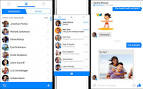
In order to communicate about filming outside of our media classes, me and my teammate Sophie have used both iMessage and messenger on Facebook in order to communicate about a range of topics, including when we are going to film and what parts we plan on filming. These methods of digital communication are key when making something like a documentary, because it allows us to let each other know when it is appropriate to film and when we have to cancel last minute due to circumstances such as weather or other plans. Due to our busy schedules, we decided this would be the best method of communication as we live in different areas. Below is an example of what a messenger chat on Facebook looks like, in order to show what we have used to communicate when making our product. 


Monday, 18 January 2016

Script

There is not going to be a script of our documentary apart from the questions we have already planned to ask the interviewees. This is because the main point of a documentary is for it to be spontaneous conversation and finding out information we didn't previously obtain. Our questions that we have asked in the documentary have been put earlier in our blog.
Scripts are much more helpful for people making things such as a short film or trailer, because they help to organise for what they want to include in the film, and, having made a short film for AS media, I understand how scripts can be very useful.